
The Opinyin Plugin for Crisp Chat integrates the popular Crisp Chat Platform with Opinyin's Catalyst solution.
Chat Analysis
Once a chat is resolved in Crisp, Opinyin Catalyst waits a preset period to ensure it isn't reopened, then exports it to the Opinyin servers for processing. A novel process then analyses the chat to detect whether the customer is likely to be an advocate or at risk by the end of the chat.
Automatic Campaign Trigger
When Opinyin detects that the contact is either an advocate or at risk of churn, it will fire user events for that contact in Crisp, which will trigger any automatic campaigns you have configured. Use it to send review or friends and family referral requests,
Initial setup
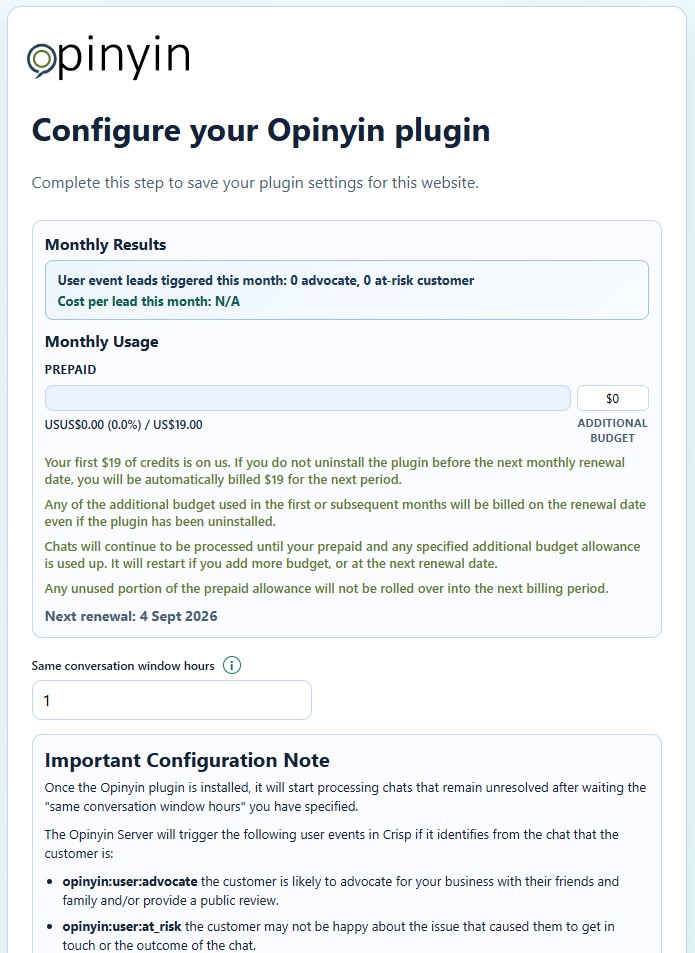
When you first install the plugin, you will be presented with the following page.
Monthly Results
As Opinyin Catalyst starts to identify advocates and at-risk customers, it will report a monthly total for both in the settings window. It is the total amount of allowance you have spent divided by the number of leads detected.

Pricing - The first month is on us!
Opinyin Catalyst starts at $19 per month. So you can try Opinyin Catalyst out before committing; the first month's allowance is on us. You won't start getting charged this unless the plugin remains installed at the subsequent monthly renewal dates, as shown on the settings page.

This provides you with a usage allowance each month. How quickly you use this allowance up depends on how many chats you resolve and the length of them. If you don't use all this usage allowance, the remaining amount will not roll over into the next period.
All charges for using the Opinyin Catalyst Plugin will be charged through your Crisp Subscription Account.
How do I know how much allowance I have used?
You can see at any time how much you have used on the Opinyin Catalyst plugin settings page.

Once you get to 80% of this allowance, we will let the person who installed the plugin know at the email address they use in Crisp. When you reach 100%, we will send another email letting you know. The plugin will stop processing your chats until the next renewal date, or you add additional usage allowance budget.
Additional Usage Allowance Budget
Because we know the number and length of chats is a bit of an unknown, we have provided the ability for you to choose to add more usage allowance so you have complete control of your maximum spend.

If you set a value here, the plugin will keep processing chats until the additional budget is used up or the next renewal date is reached. You will then be charged at your next renewal date for the amount of additional usage allowance budget you have actually used.
IMPORTANT: Any Additional Usage Allowance Budget used during the free first month will be charged to your Crisp account even if you have deleted the Opinyin Catalyst plugin.
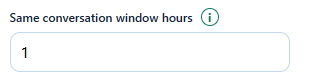
Same Conversation Window Hours
Because Crisp can keep all messages with a contact in the same conversation, we need to know when you think it's safe to assume the conversation is over based on your typical chats.
The Same Conversation Window Hours setting allows you to specify how long after the conversation is resolved the plugin should wait before checking whether the conversation is still resolved and extracting those messages for analysis. The default of 48 hours is a good starting point.
The plugin works out which messages are part of the recent conversation and which are from a previous chat, so you don't need to worry about it analysing past chats (i.e., the last one the customer was not happy with, but this one you turned it around and they were now really happy). In that instance, it will trigger an advocate event.
Configuring Campaigns
IMPORTANT: It is recommended that you create automated campaigns to receive these user events immediately to avoid wasting allowance, as they can only be fired once per resolved conversation, and they will not fire again if there is nothing configured in Crisp to receive them. However, they will use up your usage allowance.
Once the Opinyin plugin is installed, it will start processing chats that remain unresolved after waiting the "same conversation window hours" you have specified.
The Opinyin Server will trigger the following user events in Crisp if it identifies from the chat that the customer is:
- opinyin:user:advocate: the customer is likely to advocate for your business with their friends and family and/or provide a public review.
- opinyin:user:at_risk: the customer may not be happy about the issue that caused them to get in touch or the outcome of the chat.
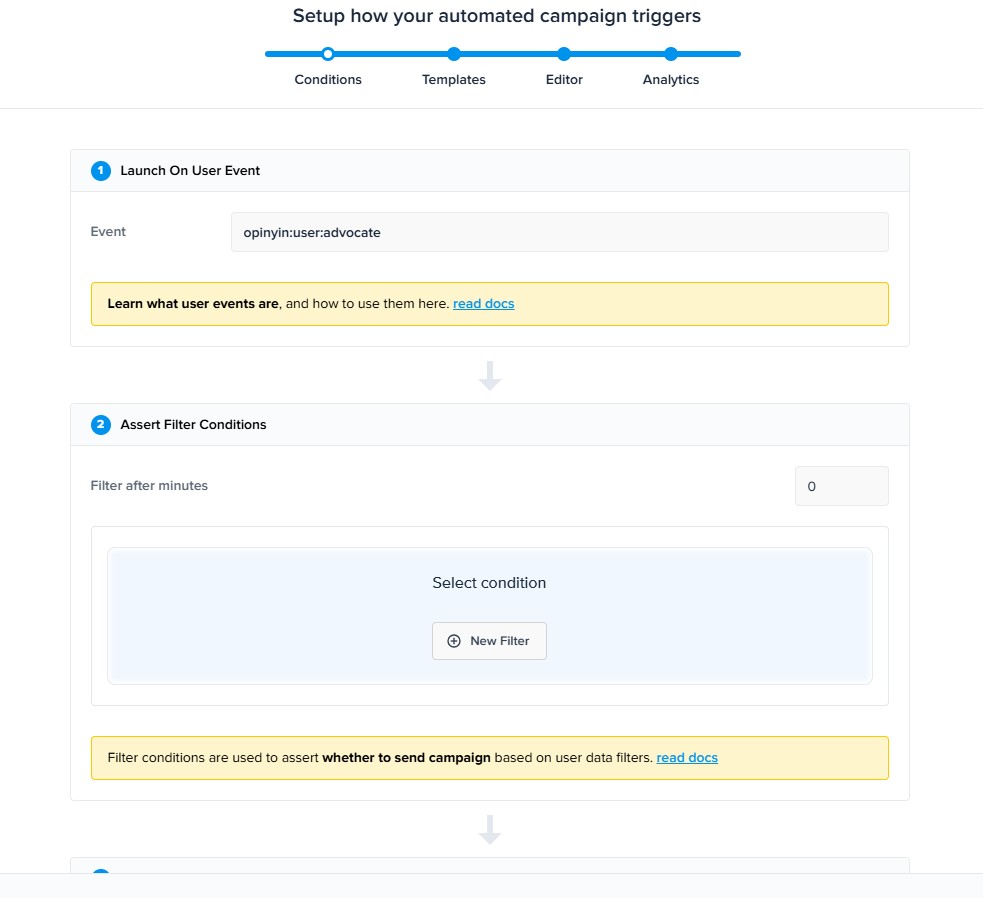
Create an automatic campaign in Crisp and use one of the user events to trigger as detailed above. You can use contact segments and filter conditions to use the triggers for multiple different campaigns.
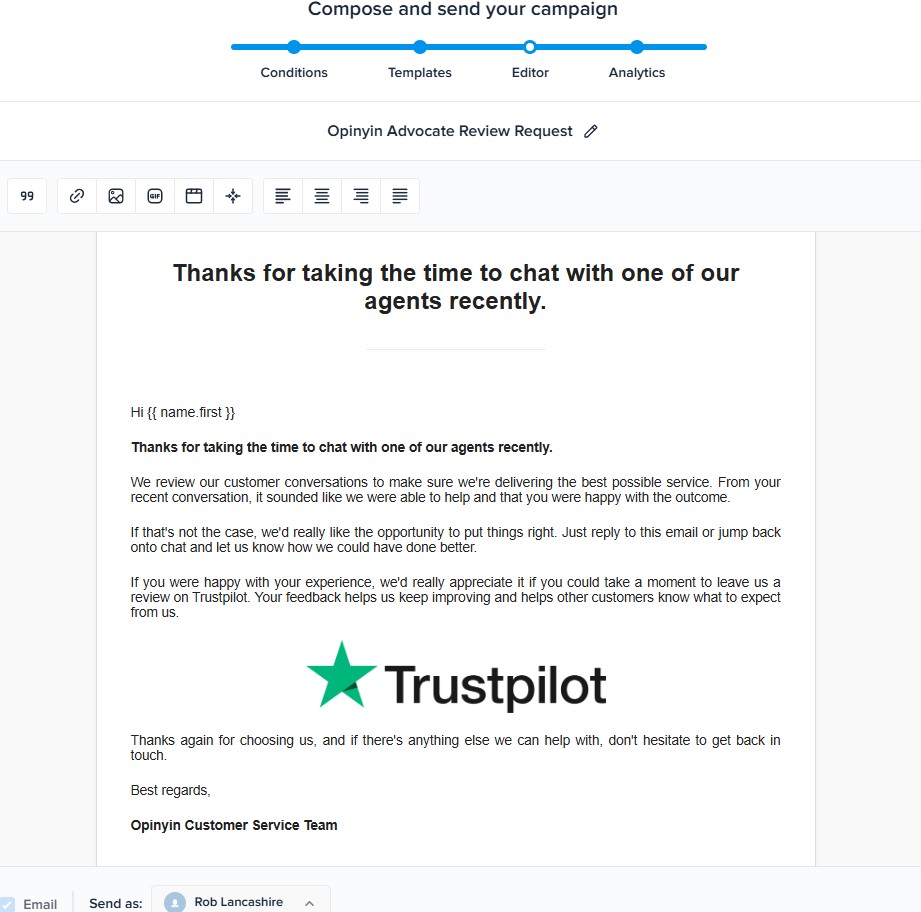
Then create the email you want to be sent when an event is triggered and set it to start.
Opinyin Catalyst should then start working to create new revenue opportunities for you and rescuing at risk customers, all automatically.
If you have any questions, please don't hesitate to reach out to us at support@opinyin.com, and we will be pleased to help you get set up.